
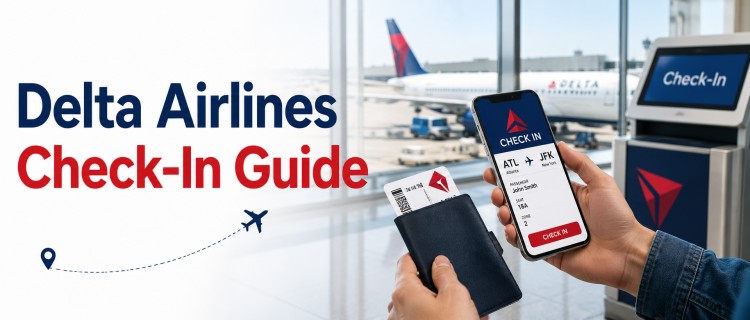
Do you have an upcoming Delta flight and want to know when and how to check in? Delta Air Lines offers several check-in options, including online check-in, mobile check-in through the Fly Delta app, airport kiosks, and assistance at the ticket counter.
For most flights, you can check in beginning 24 hours before your scheduled departure. Depending on your itinerary, you may need to verify your travel documents, check baggage, select a seat, or obtain a boarding pass before heading to the gate.
In this guide, you will learn how Delta Airlines works, when to check in, the available check-in methods, baggage deadlines, international travel requirements, and what to do if you can not check in online.
What is Delta Airlines Check-In?
Delta Airlines check-in is the process of confirming that you intend to travel on your booked flight and obtaining your boarding pass. During check-in, you may be able to:
- Confirm your flight
- Select or change your flight
- Obtain a digital or printed boarding pass
- Add checked baggage
- Pay applicable baggage fees
- Update certain passenger information
- Verify travel documents for eligible flights
When Can You Check In for a Delta Flight?
For most Delta flights, check-in opens 24 hours before the scheduled departure time. You can generally check in through:
- Delta’s official website
- The Fly Delta mobile app
- A Delta airport kiosk
- A Delta ticket counter
| Check-In Method | Opens | Closes |
| Online Check-in | 24 hours before departure | Depends on flight and airport |
| Mobile App | 24 hours before departure | Depends on flight and airport |
| Airport Kiosk | Before departure at the airport | Varies by airport and destination |
| Ticket Counter | Before departure at the airport | Varies based on baggage and flight requirements |
Delta Airlines Check-In Options
Delta provides both online and airport check-in options. The best method depends on your travel plans and whether your booking requires additional verification.
1. Delta Online Check-In
Delta online check-in is one of the easiest ways to check in before arriving at the airport. You can access your reservation through the official Delta website and complete the check-in process.
How to Check In Online With Delta?
Follow these steps:
- Visit the official Delta Air Lines website.
- Select the Check-In option.
- Enter the required booking information.
- Access your flight reservation.
- Confirm your passenger and flight details.
- Select or change your seats if available.
- Add checked baggage if applicable.
- Complete check-in.
- Save or print your boarding pass.
Depending on your reservation, you may be able to:
- Confirmation number.
- Skymiles account information.
- Ticket or other eligible reservation details.
Online check-in is particularly convenient if you are traveling with carry-on baggage only.
2. Delta Mobile Check-In
You can also check in using the Fly Delta app on a compatible mobile device. The mobile app allows eligible passengers to manage several parts of their journey from their phone.
Features Available Through the Fly Delta App
- Check in for your flight
- Access a mobile boarding pass
- View flight information
- Change or select a seat
- Receive flight notifications
- Tracked checked baggage
- Manage your trip
A mobile boarding pass can be especially convenient because you may not need to print one. However, make sure your phone is charged and that you can access your boarding pass when you need it.
3. Delta Airport Kiosk Check-In
If you prefer to check in at the airport, you can use a Delta self-service kiosk. Airport kiosks can be useful for passengers who need:
- A printed boarding pass
- Baggage tags
- Basic seat changes
- Help in managing their reservations
To check in, you may need to provide your flight or passenger information as prompted by the kiosk. If you checked baggage, follow the airport instructions for baggage drop after completing kiosk check-in.
4. Delta Ticket Counter Check-In
You can also check in directly with a Delta representative at the airport ticket counter. This option may be particularly helpful if:
- You need assistance with your booking.
- Your travel documents require verification.
- You are traveling internationally.
- You require special assistance.
- You are traveling with a pet.
- You cannot complete online or mobile check-in.
- Your reservation requires additional verification.
Delta Airlines Check-In Time for Domestic Flights
For domestic flights, passengers should arrive at the airport well before departure. Arriving 2 hours before a domestic flight can provide enough time for:
- Baggage drop
- Airport security
- Terminal navigation
- Unexpected delays
- Reaching your departure gate
Exact check-in and baggage deadlines may vary by airport and flight. Also, if you are travelling with checked baggage, allow extra time instead of relying on your flight's departure time.
Domestic Travel Checklist:
Before leaving for the airport for a domestic flight, make sure you have:
- Completed check-in if eligible
- Saved your boarding pass
- Packed your identification documents
- Checked your baggage allowance
- Confirmed your departure terminal
- Reviewed your flight status
- Allowed enough travel time to reach the airport
Delta Airlines Check-In Time for International Flights
International travel usually requires more preparation than domestic flights. Passengers should generally arrive at the airport at least 3 hours before an international flight. You may need additional time for:
- Passport verification
- Visa or entry documents check
- Baggage drop
- Security screening
- Immigration procedures
- International boarding requirements
| Activity | Recommended Time |
| Online Check-In | Check in up to 24 hours before departure if eligible |
| Airport Arrival | Arrive early, generally around 3 hours before departure |
| Travel Documents | Keep passport and required entry documents ready |
| Checked Baggage | Complete baggage drop before the applicable deadline |
| Passport & Travel Document Verification | Required before boarding for most international destinations |
| Security | Allow sufficient time for security screening |
| Boarding | Reach the gate before the airline's boarding deadline |
International travel requirements can change by destination. Make sure your documents meet the requirements of your destination and any transit country.
What Documents Do You Need for Delta Airlines Check-In?
The documents required for Delta Airlines check-in depend on your destination. For domestic flights, you will generally need an acceptable form of identification for airport travel requirements. For international flights, you may need:
- A valid passport
- A visa, if required
- Entry or transit documents
- Other destination travel-specific documents
In some cases, you may be able to check in online until airline staff verify your documents. Always review the entry and document requirements for your destination before travelling.
Why Can’t I Check In Online With Delta?
Although Delta's online check-in is available for most passengers starting 24 hours before departure, you may be unable to check in online and instead need to complete the process at the airport. Here are some of the common reasons:
1. Your travel documents need to be verified
If you are traveling internationally, Delta may require staff to verify your passport, visa, or other travel documents before issuing your boarding pass.
2. You have requested special assistance
Passengers who have requested wheelchair assistance, are travelling with medical equipment, or require other special services may need to check in at the airport.
3. You are travelling with a Pet
If you are flying with a pet in the cabin or as checked baggage, online check-in may not be available because Delta must verify your reservation and applicable travel requirements.
4. You are flying as an unaccompanied minor
Children flying under Delta’s Unaccompanied Minor program must complete check-in at the airport with a parent or guardian.
5. Your booking requires additional verification
In some cases, Delta may need to verify your identity, payment method, or other booking details before allowing check-in.
6. Technical issues
Occasionally, website maintenance, mobile app issues, or temporary system errors can also prevent Delta online check-in. If this happens, try again later, use another check-in method, or contact Delta Customer Service.
Can You Select a Seat During Delta Check-In?
Seat selection may be available during online or mobile check-in, depending on your ticket type and seat availability. You may be able to:
- View available seats
- Change your assigned seats
- Select another available seat
Some seat options may involve additional charges or restrictions. If your preferred seat is unavailable, check the seat map again closer to departure because availability can change.
How Do You Get Your Delta Boarding Pass?
After successfully checking in, eligible passengers may receive a boarding pass in different formats. You may be able to use:
- A mobile boarding pass
- A boarding pass saved to a mobile wallet
- A printed boarding pass
- A boarding pass printed at an airport kiosk
Make sure the information on your boarding pass matches your travel documents and flight details.
What Should You Do After Checking In?
Checking in is only one part of your airport journey. After completing check-in, you should:
- If You Have Checked Bags: Go to the appropriate baggage drop area and check your bags before the deadline.
- Go Through Security: Allow enough time for airport security, particularly during busy travel periods.
- Check Your Departure Gate: Your gate may change, so continue checking your flight information.
- Arrive at the Gate Early: Do not wait until the final boarding call. Boarding procedures and gate closing times can vary.
Tips for Smooth Delta Airlines Check-In
Here are a few tips to make your Delta Airlines check-in process smoother:
- Check in online 24 hours before your scheduled departure.
- For international travel, arrive at the airport at least 3 hours before your flight.
- Keep all your travel documents, including your passport, visa (if required), and government-issued photo ID, ready for inspection.
- Arrive early to check in at the airport kiosk or Delta ticket counter.
- Make sure you have the Delta mobile app downloaded to access your digital boarding pass and track your checked baggage status.